{{.Get "title"}}
{{if $enabledTime }}
{{ if ne .Ordinal 0 }} {{$duration}} {{ end }}
{{ end }}
{{.Inner}}
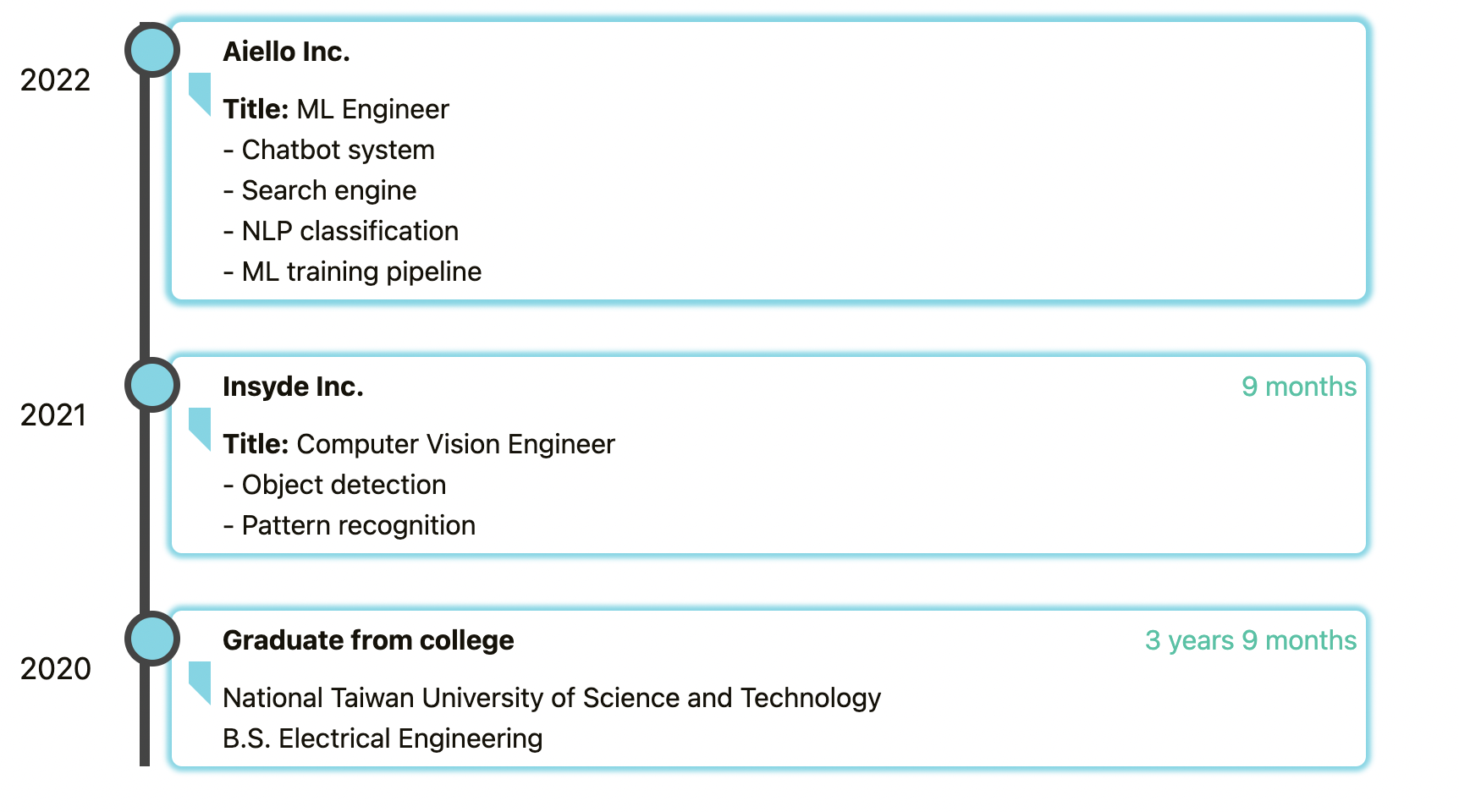 ## Step 1. Add scss file `_custom.scss` under static/css/
```scss
/************************************
timeline
************************************/
/* The actual timeline (the vertical ruler) */
.timeline {
position: relative;
margin: 0 auto;
}
/* The actual timeline (the vertical ruler) */
.timeline::after {
content: "";
position: absolute;
width: 6px;
background-color: #444;
top: 0;
bottom: 0;
left: 10%;
margin-left: -3px;
}
/* Container around content */
.timeline .container {
padding: 10px 10px 10px 40px;
margin-top: 10px;
position: relative;
/* background-color: gray; */
width: 90%;
left: 10%;
}
/* The circles on the timeline */
.timeline .container::after {
content: "";
position: absolute;
width: 25px;
height: 25px;
left: -12px;
background-color: rgb(106, 215, 229);
border: 4px solid #444;
top: 0px;
border-radius: 50%;
z-index: 1;
}
/* date display */
.timeline .container .date {
position: absolute;
top: 22px;
z-index: 1;
left: -10%;
font-size: large;
}
/* Add arrows to the right container (pointing left) */
.timeline .container::before {
content: " ";
height: 0;
position: absolute;
top: 30px;
width: 0;
z-index: 1;
left: 26px;
border: medium solid #6ad7e5;
border-width: 13px 13px 13px 0px;
border-color: #6ad7e5 #6ad7e5 transparent transparent;
}
/* The actual content */
.timeline .content {
box-shadow: 0 0 3px 3px #6ad7e5;
background-color: white;
position: relative;
border-radius: 6px;
transition: box-shadow 0.3s;
}
/* small shadow change on hover*/
.timeline .content:hover {
box-shadow: 0 0 3px 4px #6ad7e5;
}
/* card title format */
.timeline .content .title {
padding: 5px 30px;
font-weight: bold;
display: inline-block;
}
/* time moment format*/
.timeline .content .moment {
color: #16c4a4;
text-align: right;
position: absolute;
top: 0;
right: 0;
padding: 5px;
}
/* body size */
.timeline .content .body {
padding: 5px 30px;
}
/* responsive for small devices*/
@media screen and (max-width: 600px) {
.timeline .container {
padding: 10px 10px 0px 40px;
left: 5%;
width: 95%;
}
.timeline .container .date {
font-size: small;
transform: rotate(-90deg);
left: -5%;
top: 30px;
}
.timeline .container::after {
left: 3px;
}
.timeline .content .body {
padding: 5px 5px;
}
.timeline .content .moment {
position: relative;
}
}
```
## Step 1. Add scss file `_custom.scss` under static/css/
```scss
/************************************
timeline
************************************/
/* The actual timeline (the vertical ruler) */
.timeline {
position: relative;
margin: 0 auto;
}
/* The actual timeline (the vertical ruler) */
.timeline::after {
content: "";
position: absolute;
width: 6px;
background-color: #444;
top: 0;
bottom: 0;
left: 10%;
margin-left: -3px;
}
/* Container around content */
.timeline .container {
padding: 10px 10px 10px 40px;
margin-top: 10px;
position: relative;
/* background-color: gray; */
width: 90%;
left: 10%;
}
/* The circles on the timeline */
.timeline .container::after {
content: "";
position: absolute;
width: 25px;
height: 25px;
left: -12px;
background-color: rgb(106, 215, 229);
border: 4px solid #444;
top: 0px;
border-radius: 50%;
z-index: 1;
}
/* date display */
.timeline .container .date {
position: absolute;
top: 22px;
z-index: 1;
left: -10%;
font-size: large;
}
/* Add arrows to the right container (pointing left) */
.timeline .container::before {
content: " ";
height: 0;
position: absolute;
top: 30px;
width: 0;
z-index: 1;
left: 26px;
border: medium solid #6ad7e5;
border-width: 13px 13px 13px 0px;
border-color: #6ad7e5 #6ad7e5 transparent transparent;
}
/* The actual content */
.timeline .content {
box-shadow: 0 0 3px 3px #6ad7e5;
background-color: white;
position: relative;
border-radius: 6px;
transition: box-shadow 0.3s;
}
/* small shadow change on hover*/
.timeline .content:hover {
box-shadow: 0 0 3px 4px #6ad7e5;
}
/* card title format */
.timeline .content .title {
padding: 5px 30px;
font-weight: bold;
display: inline-block;
}
/* time moment format*/
.timeline .content .moment {
color: #16c4a4;
text-align: right;
position: absolute;
top: 0;
right: 0;
padding: 5px;
}
/* body size */
.timeline .content .body {
padding: 5px 30px;
}
/* responsive for small devices*/
@media screen and (max-width: 600px) {
.timeline .container {
padding: 10px 10px 0px 40px;
left: 5%;
width: 95%;
}
.timeline .container .date {
font-size: small;
transform: rotate(-90deg);
left: -5%;
top: 30px;
}
.timeline .container::after {
left: 3px;
}
.timeline .content .body {
padding: 5px 5px;
}
.timeline .content .moment {
position: relative;
}
}
```